✨ Now Available on App Store

Redact Documents.
Private & Secure.

Protect sensitive data with intelligent OCR text recognition and reusable templates. 100% offline, 100% private.

5
Free Credits/Day
100%
Offline
0€
Download
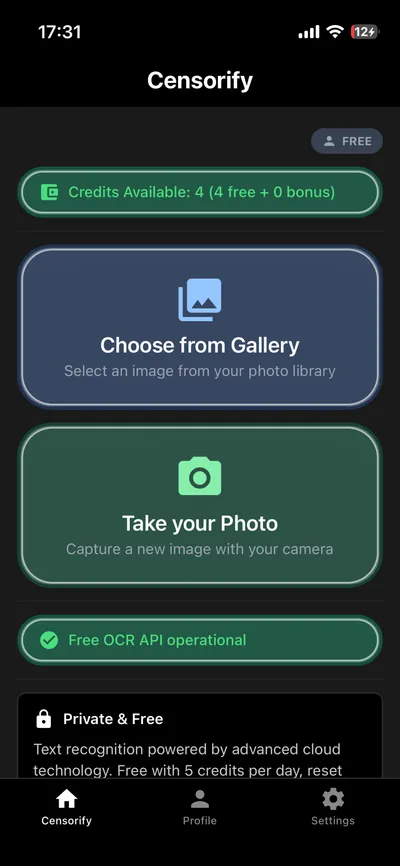
The App in Action

See how simple and powerful Censorify is

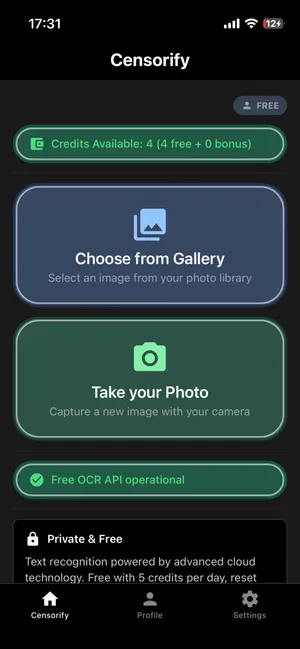
Censorify App Screenshot - Dokumentenschwärzung mit Smart Templates

Smart Templates.

Create reusable templates for common redactions - define once, use forever.

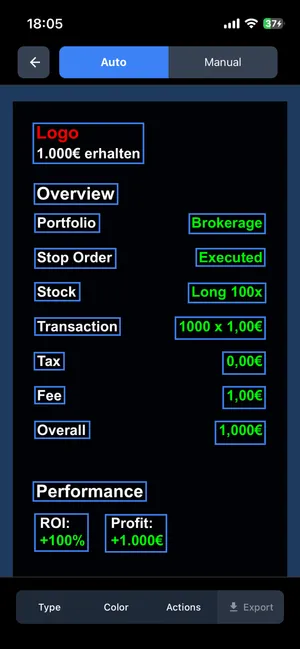
Censorify App Screenshot - OCR Texterkennung für präzise Schwärzung

OCR-Texterkennung.

State-of-the-art OCR technology detects text in images and PDFs with highest precision.

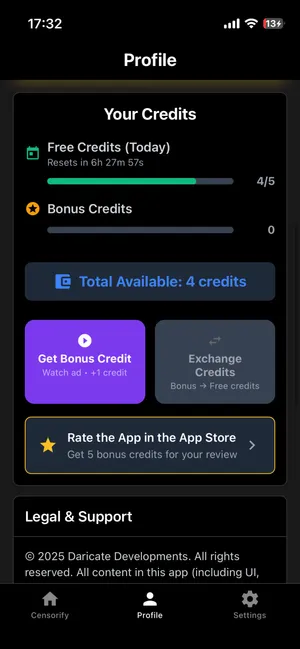
Censorify App Screenshot - Privatsphäre-zentrierte Dokumentenbearbeitung

100% Privat.

All processes happen exclusively on your device. No cloud, no servers.

Powerful Features

Everything you need for professional document redaction

Privacy First

Your documents stay on your device. No cloud uploads, no server connection, no risk.

Smart Templates

Define redactions once and reuse them - saves time and guarantees consistency.

OCR Technology

Advanced text recognition identifies and redacts sensitive information with highest accuracy.

Fair Credit System

5 free credits daily. Perfect for everyday use, no hidden costs.

High Quality

Professional results in seconds. Precise redactions without quality loss.

Easy to Use

Intuitive interface for quick results. No learning curve required.

How It Works

Redacted documents in three simple steps

1

Import Document

Choose an image or PDF from your gallery or take a photo directly in the app.

2

Mark Areas

Use Smart Templates or manually mark which areas should be redacted.

3

Export & Share

Save or share your redacted document - secure and in highest quality.

Frequently Asked Questions

Everything you need to know about Censorify

How does document redaction work with Censorify?

Censorify uses state-of-the-art OCR text recognition and reusable Smart Templates to identify and securely redact sensitive data in your documents - completely offline on your device.

Is Censorify completely offline?

Yes, absolutely! All redactions are performed locally on your iPhone. Your documents never leave your device. No cloud connection, no server uploads.

What are credits and how does the system work?

Each document redaction consumes one credit. You receive 5 free credits daily. Additional credits can be purchased in the app's Credit Store - no subscription, just what you need.

Does Censorify support PDFs and images?

Ja! Censorify unterstützt sowohl Bilder (JPG, PNG) als auch mehrseitige PDF-Dokumente. Die OCR Technology funktioniert bei beiden Formaten gleichermaßen präzise.

Ready for Secure
Document Protection?

Download Censorify for free now and get 5 credits daily. No credit card required.

Get it on App Store
✓ No Hidden Costs ✓ No Subscription ✓ 100% Privacy